
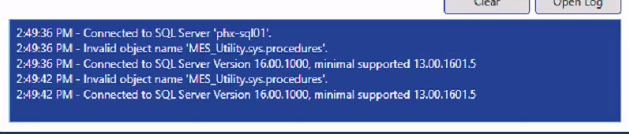
Problem: MES DB Tool MES.Utility.sys.procedures not found or invalid object name on initial database creation or after a move to a new server.
Invalide Object Name'MES.Utility.sys.procedures' message when starting the MES database tool. Creating a new database will fail.
Resolution: The default location for SQL Log files didn't exist.
SQLServer management studio
Right click on the server name and select Properties. Then select database settings.
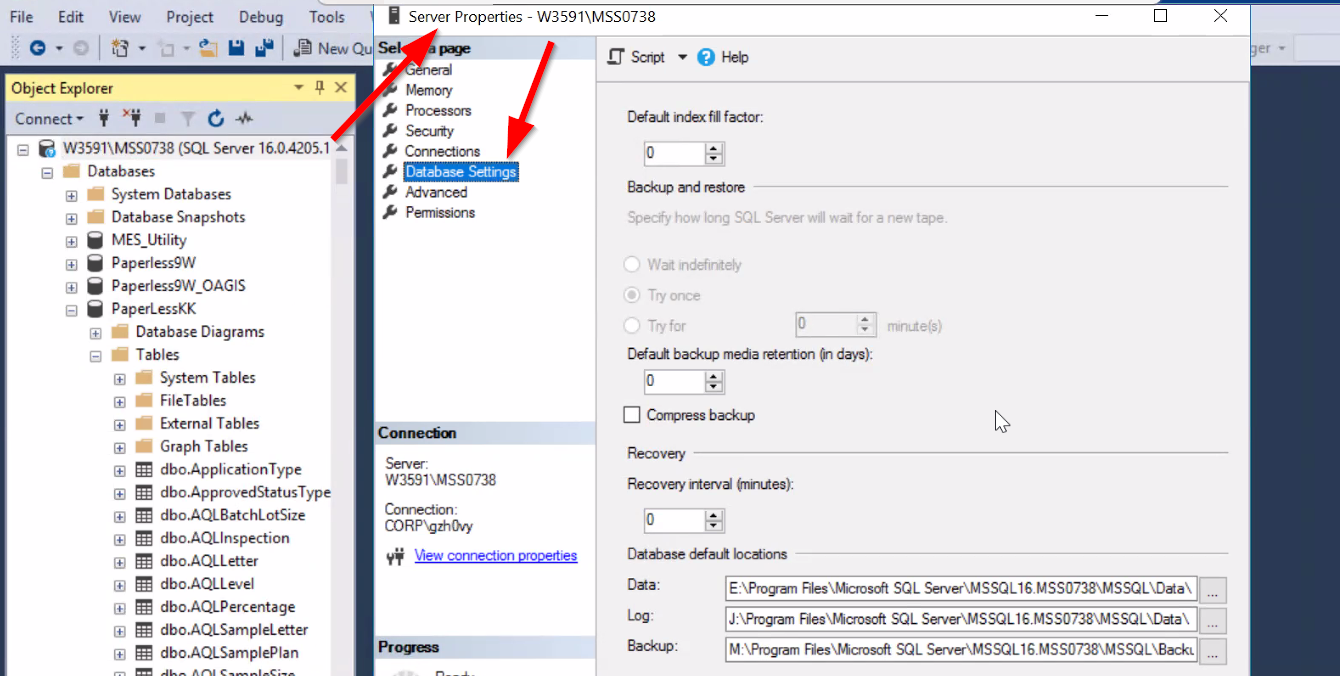
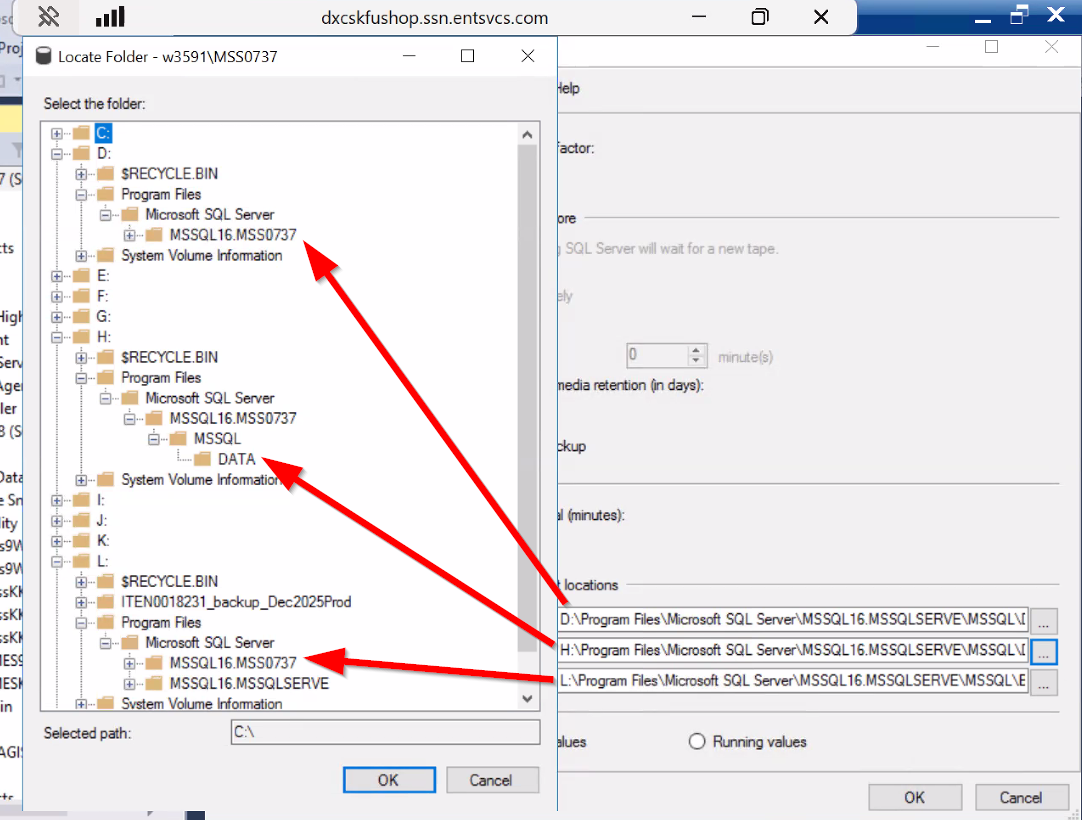
Database Default locations must exist on the Drive specified. In the above screen shot, the file locations set do not exist for each of the settings.
If they are incorrect, correct them and then Stop and Restart SQL server for the changes to take effect.