
Production Orders
Header level
Pick Status
If an RPO requires one or more of its Components to be Picked, the RPO Line will not be synchronized to MV2. This Pick Status can be found on the RPO page as 'Pick/Production Status'. A value of "Pick Needed" will fail validation and the RPO Line will not be synchronized to MV2.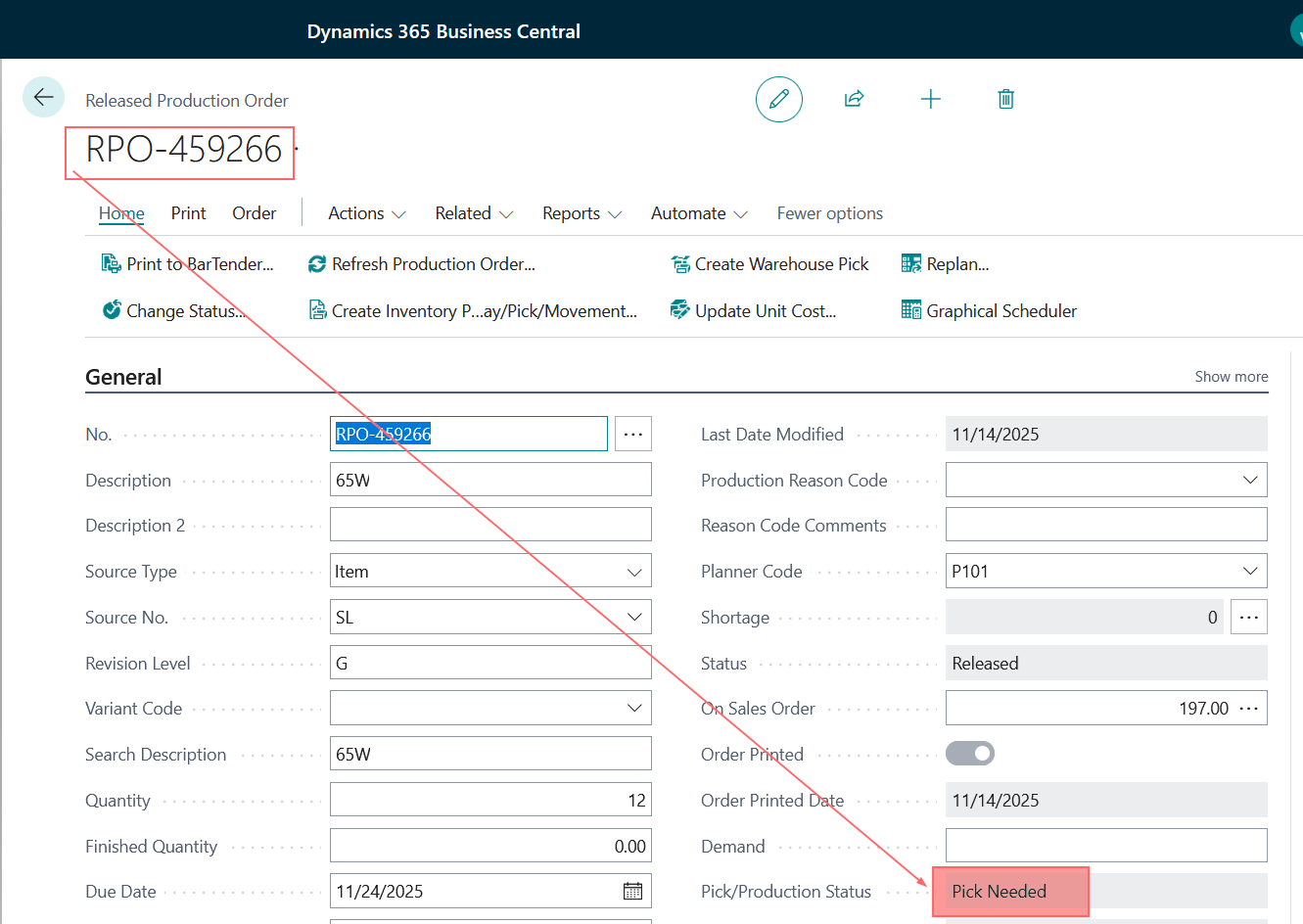
Production Order Line(s)
What is required for an RPO Line to be synchronized into MV2
- Only Released Production Orders are synchronized to MV2
- Finished Lines are synchronized to close the Order in MV2
- Data on the Line - If any of the following values are missing, the RPO Line will not be synchronized to MV2
- Location Code

- Location Code
Production Order Routing(s)
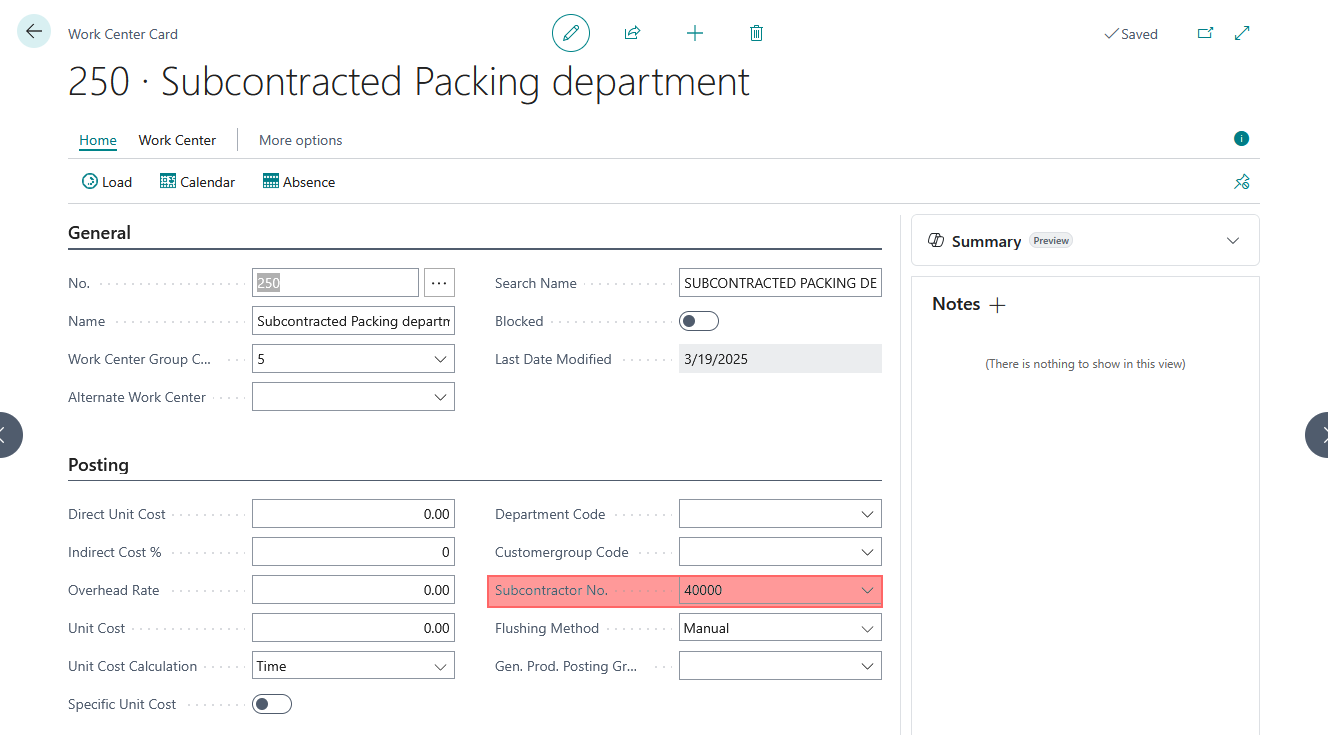
- If the WorkerCenter assigned to the Routing has a SubContractor No. associated with it, MV2 will ignore the Routing as labor cannot be reported against the Routing
Production Order Components(s)
- Data on the Component - If any of the following values are missing, the RPO Line will not be synchronized to MV2
- Location Code

- Location Code
Items
Items and their Variants in Business Central are both treated as Items in MV2. The Variant Code will be appended to the Item Number.
- Item's must have a Number ('Item No.') value.
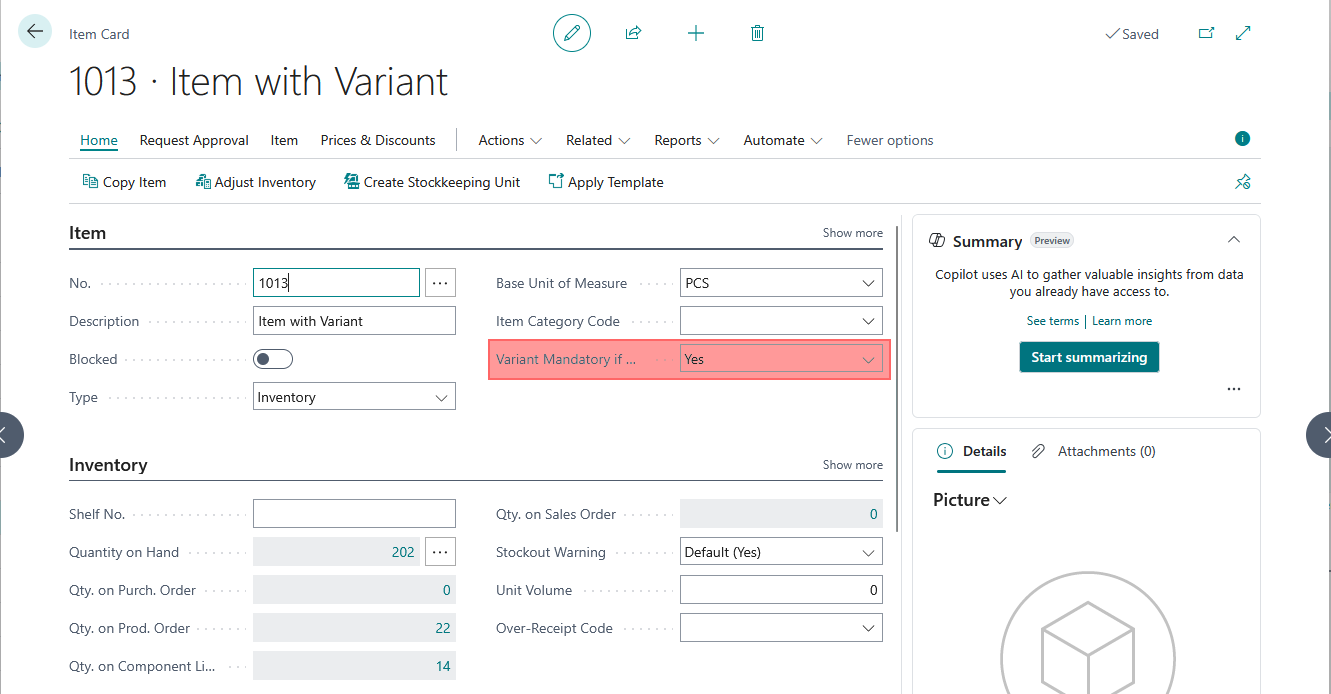
- If the option Variant Mandatory if Exists is Yes, the basic Item will be ignored by MV2.
WorkCenters
- If the WorkerCenter has a SubContractor No. associated with it, MV2 will ignore it.
Sales Orders
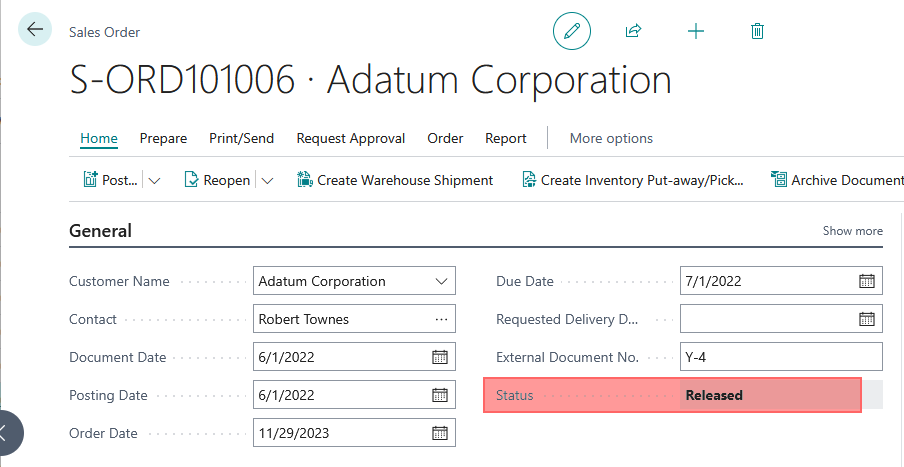
- Only Released Sales Orders are synchronized to MV2
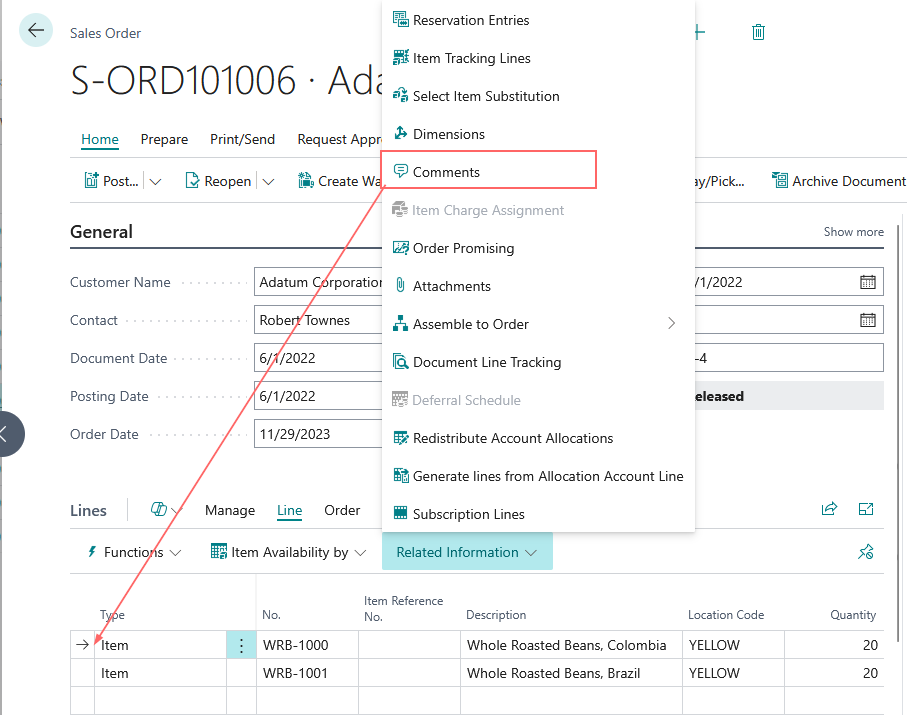
Sales Order Notes / Comments
- Only Comments on the Sales Order Line are synchronized to MV2
Purchase Orders
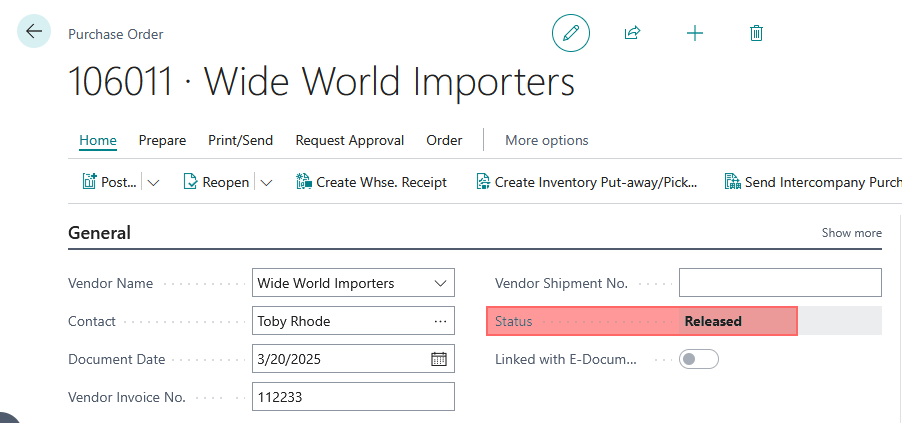
- Only Released Purchase Orders are synchronized to MV2
Purchase Order Lines
- Only Purchase Order Lines for Items are synchronized to MV2
- Data on the Line- If any of the following values are missing, the PO Line will not be synchronized to MV2
- Location Code
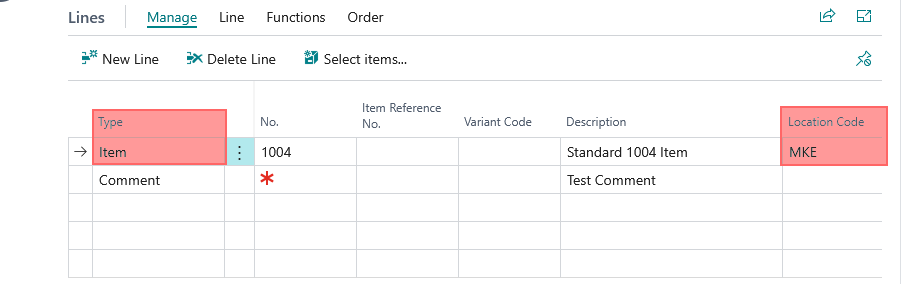
- Location Code