Overview
Within MV2, there is a page named ‘Log Viewer’ that will display a filterable list of messages that have been written to MV2’s database. This article will focus on the 'Bulk Load Errors' section of the Log Viewer, where issues related to Business Central Data being transferred to MV2 will appear.
Accessing the Log Viewer
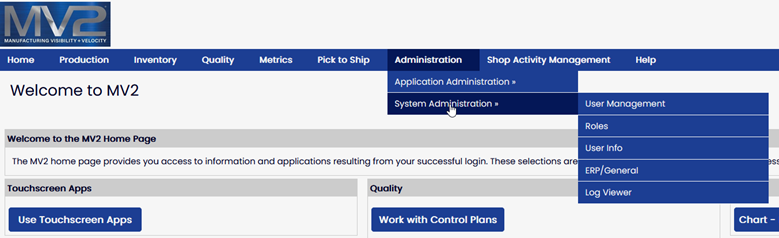
While logged in as a User who is assigned the System Administrator Role, from the Portal Menu, select Administration -> System Administration -> Log Viewer.
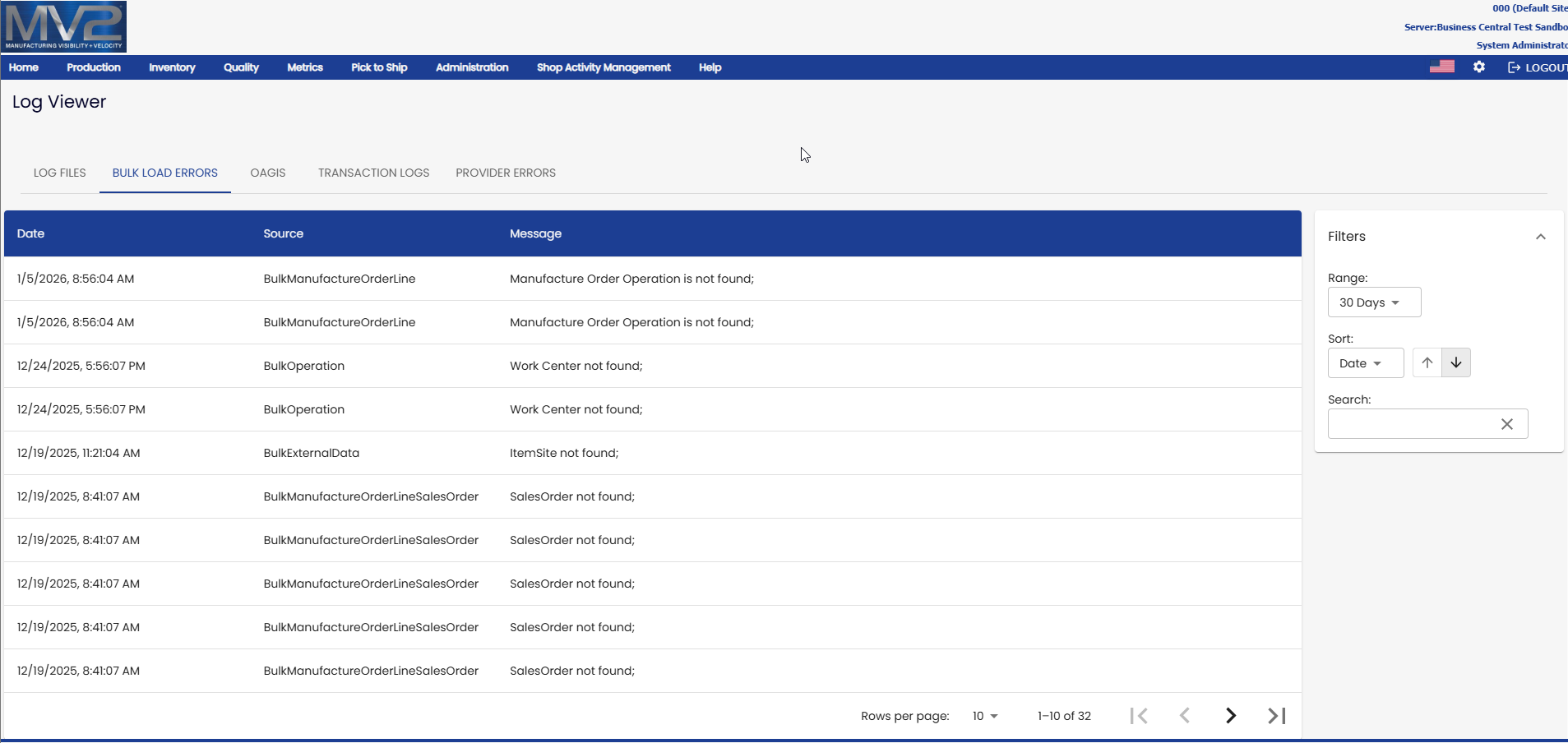
From the Log Viewer, select the 'BULK LOAD ERRORS' tab. This tab contains information about Business Central data that failed to synchronize into MV2.
The 'Message' tab contains general information about the error with the data for the Entity stated in the 'Source' column. Clicking on a row will display additional details about the issue.
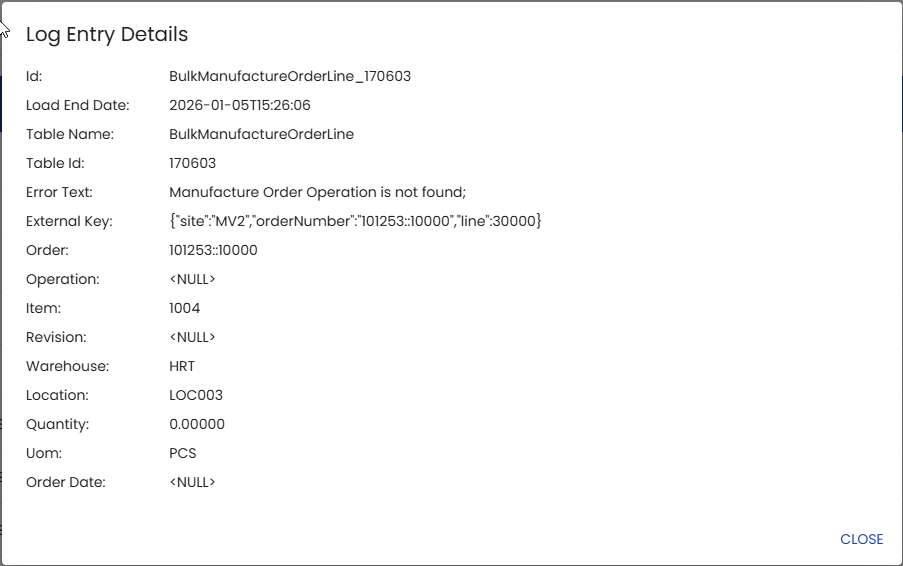
The Log Entry Details window will display the specific data that is failing to sync. In the example below, the Order is 101253:10000 and the message is "Manufacture Order Operation is not found", which is referring to the 'Operation' value of "<NULL>".
These errors are pointing out issues with the data in Business Central and must be fixed there. Once the data is addressed, the mini-sync process will recognize the change, and if successfully synchronized, the message will be removed from the above screen.